
Where the app is offered on 1win.ng
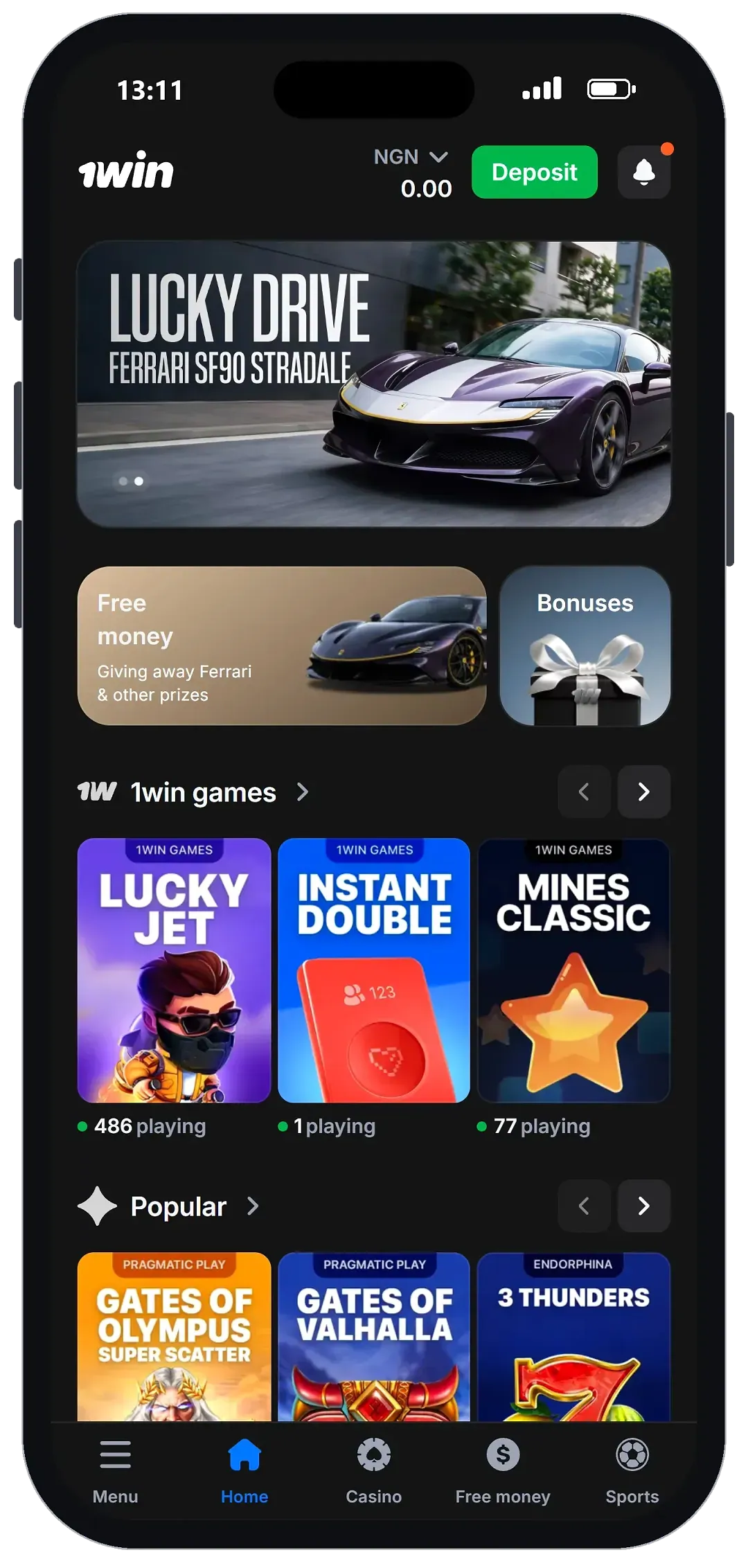
The app sits in the 1win.ng menu itself. With an Android phone the item is called “1win for Android”; with an iPhone it is “1win for iOS”. Both show the same note about 200 Points for installing. The site does not explain the Points further on that screen, so we do not put a naira value on them.
Android: the site’s own steps
1win.ng lists three steps for Android, and we quote them as the site gives them:
- “Scan the QR code”.
- Get the app onto your smartphone, as the second step says.
- “Install it”.
That is the whole route the site describes. The app comes from 1win.ng, not from a store listing, so start from the official address you typed yourself and use the QR code on that page. We did not run the installation, so this page does not describe the app’s screens, its size or the permissions it asks for. Read the permission request on your own phone before you accept it.
iPhone: the home-screen web app
For iPhone, “1win for iOS” leads to five steps:
- “Scan the QR code”.
- “Copy the link and open it in Safari on your smartphone”.
- “Tap “Share””.
- “Select “Add to Home Screen””.
- “Tap “Add””.
The result is a 1win icon on the home screen. 1win.ng publishes a web app manifest with the name “1win”, the display mode “standalone” and the start page “/”, which means the icon opens the site in its own window without the browser’s address bar, starting from the home page. We read the manifest; we did not add the icon on a real iPhone.
| Parameter | Value |
|---|---|
| Android | “1win for Android” menu item: scan QR code, get the app, install (site’s steps) |
| iPhone | “1win for iOS”: home-screen web app via Safari, Share → Add to Home Screen |
| Web app manifest | name “1win”, display “standalone”, start “/” |
| Install bonus shown | “200 Points bonus for installing the app” |
| Mobile site (08.10) | Adaptive; bottom bar Menu / Home / Casino / Free money / Sports |
| Checked by us | Menu, steps and manifest on 13.10; app not installed |
Avoid unofficial copies
Chat groups and social media pages sometimes pass around files or links labelled “1win”. A copy that does not come from the operator can ask for permissions a betting site never needs, or capture the phone number and password you use to log in. Take the Android app only through the “1win for Android” item on 1win.ng, typed into the browser yourself, and never enter your login details on a page you reached from a forwarded link.
The 1win betting app side: Sports on a phone
On 13.10 the Sports menu in the mobile browser showed Top, Live, Upcoming, TOP Bets, Esports and Bet history. Odds are decimal, and a match card shows the 1X2 prices with a “+99” link to more markets. These screens come from the site, so expect the same sections in the Android app and the iPhone web app, but we read them in the browser, not inside the installed app.
The betslip on a small screen
Tapping a price adds the selection to the betslip without a login. The slip has Single, Multiple and Series tabs, “Bonus” and “MAX Possible win” fields and a “Place a bet” button; with an accumulator it shows how many events are missing for a win bonus of 7%, rising to 9%, 10%, 12% and 15%. Minimum stake and cash-out did not appear without an account, so check them after you log in. Our guide to betting while a match is running explains what to watch for in-play on a phone.
Worked example
Say you put ₦2,000 on the home team in an EPL match at decimal odds of 1.85. If the bet wins, ₦2,000 × 1.85 = ₦3,700 returned, which includes your stake, so the profit is ₦1,700. On a phone it is easy to add an extra zero to the stake, so read the “MAX Possible win” line before you press “Place a bet”.
How the mobile site looks on Android
Before installing anything you can use the adaptive mobile version, which we opened in an Android browser on 08.10.2026. The dark theme is the default, and the bottom bar carries Menu, Home, Casino, Free money and Sports. Every main area we opened was one or two taps away, so moving from Sports to the cashier and back did not require scrolling through the home page. The menu also lists Trading, Poker and a VIP Club entry; a bettor who only wants football can ignore them. Our guide to betting apps and mobile sites sets out what to check on any bookmaker’s phone version.
The 1win casino app side
The Casino item opens the game lobby, with search and a Providers tab. On the phone we found Aviator, JetX, Spaceman and Lucky Jet through the search field, and the home screen showed 1win’s own titles such as Lucky Jet, Instant Double and Mines Classic. Live tables from Evolution and Pragmatic Play Live are listed too, including roulette, blackjack, baccarat and Crazy Time. The catalogue and providers are covered on our page about the 1win game lobby. Casino results are random; no app or layout changes the odds of a game.
Account and cashier on a phone
Registration and login
Sign-up is the same short form as on a computer: your phone number, a password of at least 8 characters and an optional promo code. Typing a long number on a small keyboard is where mistakes happen, so check the digits before you press Register. Login offers Phone and Email tabs plus a password recovery link. The full form is covered in our account sign-up walkthrough.
Deposits and withdrawals
The cashier lists local wallets, bank transfer, USSD and card options in naira. We made no payment, so we cannot say how each route behaves inside the app. The Withdraw button opens an identity check before any payout form, so complete it before you need a payout; our withdrawal guide explains the process.
1win app for iOS and updates
The 1win app for iOS that the site describes is the home-screen web app, not an App Store listing, and we found no store link in the steps. Because the icon opens pages served by 1win.ng, a 1win app update on iPhone needs nothing from you beyond keeping Safari and iOS current. For the Android app the site’s steps say nothing about updates, and we did not install it, so check the “1win for Android” item for a newer version if the app starts to misbehave.
Pros
- An Android app is offered from 1win.ng’s own menu, with the install steps on the site.
- The iPhone web app opens in its own window, as the site’s manifest sets it.
- The same Sports menu, decimal odds and betslip tabs as the site.
- The menu shows a 200 Points bonus for installing.
Cons
- We did not install the Android app, so its screens and permissions are not described here.
- No App Store listing appears in the iPhone steps; iPhone users get a web app.
- Minimum stake and cash-out were not visible without an account.
- Withdrawals open only after identity verification.
Our verdict on the Android and iPhone versions
7.0/10 1win.ng states clearly how to get it on each phone: an Android app through “1win for Android” with three steps, and an iPhone web app through Safari with five steps and a standalone manifest behind it. The score stays at seven because we did not install the Android app and could not see minimum stake or cash-out without an account.
It suits Android bettors who want the site’s sportsbook and casino behind one icon, and iPhone users who are fine with a home-screen web app.
Who should skip it: iPhone users who will only install from the App Store, and anyone who needs confirmed cash-out before registering.
Get started on 1win18+ · T&C Apply
FAQ
Is there an official 1win app in Nigeria?
Yes, 1win.ng offers one in its menu: "1win for Android" for Android phones and "1win for iOS", a home-screen web app, for iPhones. Use only the item on the official site.
How do I install the app on an Android phone?
Follow the three steps under "1win for Android" on 1win.ng: scan the QR code, get the app onto your smartphone and install it. Start from the address you typed yourself, not from a forwarded link.
Is there an App Store version for iPhone?
The iPhone steps on 1win.ng do not use the App Store. You open the link in Safari, tap Share and choose "Add to Home Screen", which creates the web app icon.
What are the 200 Points for installing?
The menu item says "200 Points bonus for installing the app". The screen does not give their value or how they are used, so check the Points terms in your account before you count on them.
Is it safe to use a 1win file sent in a chat group?
We advise against it, because a file that does not come from the operator can capture your login details. Take the app only from the "1win for Android" item on 1win.ng.